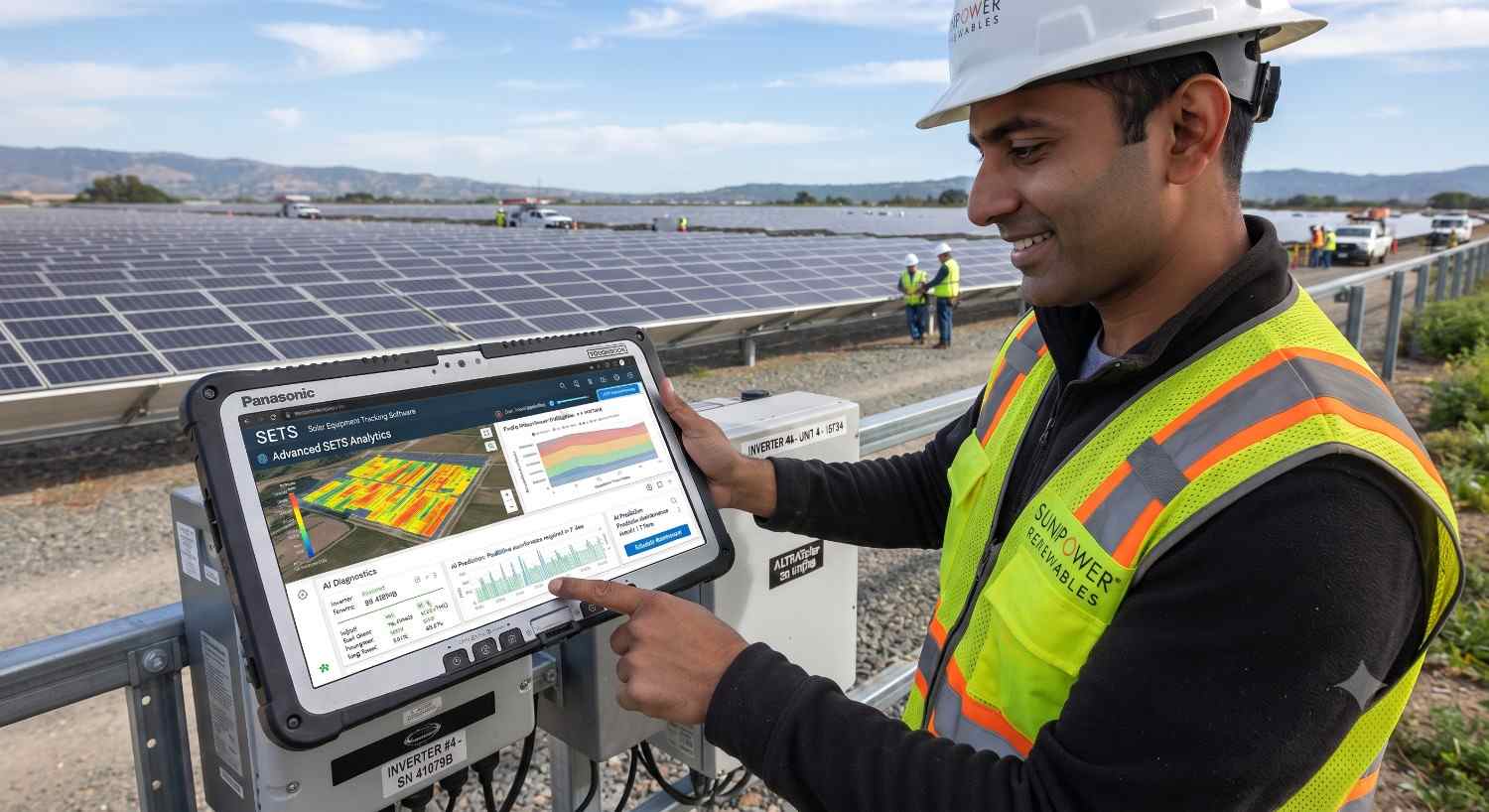
Solar Equipment Tracking Software
It’s 9 a.m. on a Monday, and your service manager is on the phone with a homeowner whose inverter tripped a fault code three weeks after installation. The homeowner wants to know one thing: is this still under warranty? Your service manager pulls up a spreadsheet, then another spreadsheet, then a folder of scanned delivery notes, and twenty minutes later still can’t say for certain which batch that inverter came from, which crew installed it, or when the warranty clock actually started.
If that scene feels uncomfortably familiar, you’re not alone. As solar installers and EPC (engineering, procurement, and construction) companies scale from dozens to thousands of installations a year, the humble spreadsheet stops being a tool and starts being a liability. This is exactly the gap that a proper SAP Business One implementation is built to close — giving solar companies a single system of record that follows every inverter, panel, battery, and racking component from the moment it’s received in the warehouse to the moment its warranty finally expires.
In this guide, we’ll walk through exactly how SAP Business One handles solar equipment traceability at every stage of its life, why this matters more in the solar industry than almost anywhere else, and what to look for in an ERP for solar industry rollout so you never have to ask “where did that inverter go?" again.
Why Solar Equipment Traceability Is So Hard to Get Right
Solar isn’t like selling t-shirts or office supplies. A single mid-sized residential or commercial project might include:
-
Dozens to hundreds of solar panels, each with its own serial number
-
One or more inverters, each carrying its own manufacturer warranty (often 10–25 years)
-
Battery storage units with lot and cell-level tracking requirements
-
Racking, wiring, and balance-of-system components sourced from multiple vendors
Every one of these components has a different warranty period, a different supplier, and often a different point of failure risk. When a manufacturer issues a recall — which happens more often in solar than most people realize — you need to know within minutes which customers received the affected batch. When a homeowner calls about a fault, you need serial-level history in seconds, not a scavenger hunt through paper delivery notes.
This is precisely why generic accounting software or basic inventory spreadsheets fall apart for solar businesses. What’s actually needed is solar equipment tracking software that treats every serialized or batch-managed item as a traceable asset with a full lifecycle — not just a line item on an invoice.
What Makes SAP Business One a Natural Fit for Solar Companies
SAP Business One is an ERP platform built for small and mid-sized businesses, bringing finance, purchasing, inventory, sales, project costing, service management, and CRM into one connected system. For solar companies specifically, the value isn’t just “better bookkeeping" — it’s the ability to treat serial numbers and batch numbers as first-class data, tied to every transaction from purchase order to final commissioning.
An ERP for solar industry operations needs to answer a few non-negotiable questions instantly:
-
Which warehouse bin is this inverter sitting in right now?
-
Which project and which technician received it?
-
What’s the exact installation date, and when does the manufacturer warranty clock start and stop?
-
If a batch is recalled, which customers are affected?
SAP Business One answers all four because it manages traceability as a built-in capability, not an add-on afterthought — and that’s the difference between a system that merely stores data and one that actually protects your business.
Step 1: The Warehouse — Where Traceability Begins
Every inverter’s story starts the moment it’s received at the warehouse. In SAP Business One, items can be configured for serial number or batch number management directly in the item master record. Inverters, being high-value and individually warrantied, are almost always set up as serial-managed items — each physical unit gets its own unique digital fingerprint the moment it’s checked in against a purchase order.
Panels and batteries, which are often produced and shipped in production lots, are typically managed by batch, so an entire shipment inherits shared attributes like production date, cell chemistry, or factory test results.
At the receiving stage, SAP Business One captures:
-
Supplier and purchase order reference — so you always know who shipped it and when
-
Warehouse and bin location — down to the shelf, if you’re using bin-location management
-
Serial or batch number — assigned automatically or scanned in via barcode/QR integration
-
Goods receipt date — the anchor point for manufacturer warranty calculations
This is the foundation that a well-run SAP Business One implementation gets right from day one. Get the item master setup wrong here, and every downstream process — dispatch, installation, warranty claims — inherits the same gaps.
Step 2: From Shelf to Site — Tracking Dispatch and Installation
Once a project is scheduled, SAP Business One links inventory movement directly to the project or sales order. When a technician’s van is loaded for a job, the system records exactly which serial-numbered inverter and which batch of panels left the warehouse and for which customer address.
This matters enormously for field operations, because it means:
-
Project costing stays accurate. Every component consumed on a job is tied back to that project’s cost center, so margins are calculated on real material usage, not estimates.
-
Technicians are accountable, transparently. If an inverter goes missing between the warehouse and the roof, you know exactly which delivery note and crew it was assigned to.
-
Installation date becomes a system fact, not a guess. Once the delivery or service document is closed out, that date feeds directly into warranty tracking — no more relying on a technician’s memory or a handwritten job sheet.
Good solar equipment tracking software doesn’t stop at “shipped." It closes the loop at “installed and commissioned," which is the point where the customer’s warranty relationship truly begins.
Step 3: Commissioning and Customer Registration
Once equipment is installed and commissioned, SAP Business One ties the serial number to the customer’s business partner record and, where relevant, a service contract. This single link is what makes everything downstream possible:
-
Customer service reps can pull up a homeowner’s account and immediately see every serialized component installed at that site
-
Field service calls can be logged against the specific inverter serial number, building a complete service history over time
-
Renewal reminders, maintenance schedules, and inspection due dates can be automated based on installation date
For companies running a genuine ERP for solar industry operation — not just accounting software with a warehouse module bolted on — this is where the payoff becomes obvious to everyone from operations to customer support.
Step 4: Warranty and RMA Management — Closing the Loop
This is the step that answers the exact question from our opening scene. Because the inverter’s serial number was captured at receiving, tied to a purchase order, linked to a dispatch document, and connected to a customer record at commissioning, SAP Business One can tell you — instantly — the manufacturer warranty start date, the expected end date, the supplier who provided it, and the full service history.
When something does go wrong, this traceability transforms three very real business processes:
-
Warranty claims: Instead of digging through paper trails, your team pulls up the serial number and immediately sees whether it’s covered, by whom, and until when.
-
RMA (Return Merchandise Authorization) processing: A defective unit can be linked back to its original goods receipt, making returns to the manufacturer faster and better documented.
-
Recalls: If a manufacturer flags a specific production batch as faulty, you can query every customer who received that batch in minutes rather than days — a capability that protects both your customers’ safety and your company’s liability exposure.
This is also where the ongoing value of SAP Business One support becomes clear. Warranty rules change, manufacturers update terms, and your business processes evolve as you scale. A support partner who understands solar-specific workflows keeps your traceability configuration current instead of letting it quietly drift out of sync with reality — which is usually how companies end up back at the “which spreadsheet was that in?" problem they were trying to escape.
A Real-World Walkthrough: Solving “Where Did That Inverter Go?"
Let’s revisit our opening scenario, but this time with SAP Business One in place.
The service manager searches the serial number printed on the inverter’s nameplate. Within seconds, the system shows: received from a specific supplier on a specific purchase order, stored in warehouse bin B-12, dispatched to a residential project three towns over, installed and commissioned on a specific date by a named technician, and linked to the homeowner’s customer record with a 12-year manufacturer warranty that has 11 years and 340 days remaining.
The call that used to take twenty frustrating minutes now takes under sixty seconds — and the homeowner hangs up with confidence in the company, not doubt.
Choosing the Right SAP Business One Implementation Partner for Solar
Not every implementation delivers this outcome. The traceability described above only works if serial and batch management, bin locations, project costing, and service contracts are configured correctly from the start — and configured with solar-specific workflows in mind, not generic manufacturing templates.
When evaluating a SAP Business One implementation partner for a solar or renewable energy business, look for a team that can demonstrate:
-
Experience configuring serial/batch tracking specifically for high-value, long-warranty equipment
-
Integration between inventory, project management, and CRM modules — not siloed configurations
-
A clear plan for barcode or QR scanning at receiving and dispatch to reduce manual entry errors
-
A realistic post-go-live support plan, because ERP systems are never really “finished"
That last point is worth dwelling on. SAP Business One support isn’t a nice-to-have add-on — it’s what keeps your traceability system trustworthy as your product lines, suppliers, and warranty terms change year over year. Companies that treat support as optional are usually the same ones who end up back on the phone, digging through spreadsheets, a few years down the line.
Frequently Asked Questions
Can SAP Business One track individual inverters by serial number?
Yes. SAP Business One allows items to be configured for serial number management, meaning every individual inverter unit receives a unique identifier tracked from purchase receipt through installation and service history.
Is SAP Business One suitable as an ERP for solar industry companies specifically?
Yes. While SAP Business One is a general-purpose SMB ERP, its built-in serial and batch tracking, project costing, and service management modules map directly onto the traceability, warranty, and field-service needs of solar installers and EPC companies.
How does SAP Business One help with solar equipment warranty management?
It links each serial or batch number to its goods receipt date, supplier, installation date, and customer record, allowing warranty start and end dates to be calculated automatically and verified instantly during a service call.
What’s the difference between serial and batch tracking for solar equipment?
Serial tracking assigns a unique number to a single high-value unit, like an individual inverter — ideal for warranty and service history. Batch tracking groups items that share production attributes, like a shipment of solar panels or battery cells, which is more efficient for high-volume components.
How long does a typical SAP Business One implementation take for a solar company?
Timelines vary with company size and data complexity, but a focused implementation covering inventory, project costing, and service management typically takes a few months from kickoff to go-live, followed by ongoing SAP Business One support as processes mature.
The Bottom Line
Solar companies don’t lose money because their teams work hard — they lose money because critical information about high-value, long-warranty equipment lives in disconnected spreadsheets, paper delivery notes, and someone’s memory. A properly configured ERP for solar industry operations closes that gap permanently, turning “where did that inverter go?" from a stressful mystery into a two-second lookup.
If your business is still piecing together warranty history from scattered files, it may be time to talk to a partner experienced in SAP Business One implementation for renewable energy companies — and to make sure whatever partner you choose offers real SAP Business One support long after go-live, because that’s where lasting traceability is actually maintained.
Contact form