Odoo ERP for Discrete Manufacturing
If you run a discrete manufacturing operation — whether you assemble machinery, fabricate metal parts, build electronics, or produce automotive components — you already know the single biggest threat to your bottom line isn’t a lack of orders. It’s a lack of visibility.
You don’t know exactly where a work order stands until someone walks the floor and checks. You don’t know a machine has gone down until the next shift misses its target. You don’t know your actual material consumption until the month-end stock count throws up a discrepancy nobody can explain. This is the quiet, expensive reality of running discrete manufacturing on spreadsheets, whiteboards, and tribal knowledge.
This is exactly the gap that a modern ERP for Discrete Manufacturing is built to close — and few platforms close it as efficiently, and as affordably, as Odoo. In this guide, we’ll break down why production visibility is the make-or-break metric for discrete manufacturers in 2026, how Odoo ERP for Discrete Manufacturing solves it end-to-end, and what to expect when you bring in professional Odoo Implementation Services to do it right.
What Is Discrete Manufacturing, and Why Is Visibility So Hard to Get?
Discrete manufacturing is the production of distinct, countable units — think cars, control panels, furniture, medical devices, or industrial equipment — as opposed to process manufacturing, which deals with bulk substances like chemicals or food. Each discrete product typically moves through multiple stages: cutting, machining, sub-assembly, final assembly, quality checks, and packaging.
The complexity comes from variability. A single production run might involve dozens of components, multiple work centers, several operators, and constantly shifting priorities based on customer orders. Multiply that across hundreds of SKUs and work orders, and it’s easy to see why so many manufacturers lose track of what’s actually happening on the floor in real time.
Common visibility gaps include:
-
Work order status — Is job #4521 on schedule, delayed, or already done?
-
Machine and labor utilization — Which work centers are bottlenecks right now?
-
Material availability — Will a shortage stall production tomorrow?
-
Quality issues — Are defects being caught early, or discovered downstream?
-
Cost tracking — Is this job actually profitable, or eating into margin?
Without a connected system, these questions get answered late, or not at all — usually after the damage (a missed shipment, an idle machine, a blown budget) is already done.
Why Production Visibility Is the Core Problem — Not Just an IT Upgrade
It’s worth being direct about this: buying software is not the goal. Solving the visibility problem is the goal. An ERP for Discrete Manufacturing matters because it connects sales orders, inventory, procurement, the shop floor, quality control, and accounting into one shared source of truth. When that connection exists, every department — from the CEO to the machine operator — is working off the same real-time data instead of five different spreadsheets that were “true" three days ago.
Poor visibility shows up as:
-
Excess safety stock, because nobody trusts the real inventory numbers.
-
Firefighting instead of planning, because problems are discovered too late.
-
Inaccurate job costing, because labor and material consumption aren’t tracked at the operation level.
-
Missed delivery dates, because production scheduling isn’t tied to actual capacity.
-
Frustrated operators, who are asked to manually report progress that the system should be capturing automatically.
Solving this isn’t about adding more reports. It’s about redesigning how information flows — and that’s precisely where Odoo earns its reputation.
How Odoo ERP for Discrete Manufacturing Solves the Visibility Problem
Odoo is an open, modular ERP platform, and its Manufacturing (MRP) app is purpose-built for exactly this kind of shop-floor complexity. Here’s how Odoo ERP for Discrete Manufacturing creates end-to-end visibility, module by module.
1. Real-Time Manufacturing Orders (MOs) and Work Orders
Every production job in Odoo becomes a Manufacturing Order tied to a Bill of Materials (BOM) and routing. Each MO breaks down into individual work orders assigned to specific work centers. As operators start, pause, or complete a step — via desktop, tablet, or the Shop Floor / Tablet view — the status updates instantly across the entire system. Planners, supervisors, and even sales reps checking a customer’s delivery date all see the same live status, with zero manual reporting.
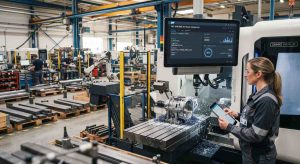
2. Shop Floor Control and the Tablet App
Odoo’s Shop Floor module puts a simple, touch-friendly interface directly at the workstation. Operators log time, report scrap, flag quality issues, and mark operations complete without leaving the machine. This single feature eliminates one of the biggest visibility killers in discrete manufacturing: the lag between “work happened" and “the system knows work happened."
3. Real-Time Inventory and Traceability
Odoo’s Inventory app uses a double-entry stock system with barcode scanning, so every component movement — from raw material receipt to WIP consumption to finished goods — is logged the moment it happens. For manufacturers dealing with serial numbers, lot tracking, or regulatory traceability requirements, this gives instant, auditable visibility into exactly which components went into which finished unit.
4. Production Scheduling and Capacity Planning
The Manufacturing app’s Gantt-style planning view and the optional PLM/MPS (Master Production Schedule) tools let planners see work center load, upcoming bottlenecks, and machine downtime in one screen. Instead of scheduling blind, planners can reroute orders around a bottleneck before it causes a missed shipment.
5. Quality Control Integrated Into the Flow
Odoo Quality lets you attach quality checkpoints directly to routing operations — so instead of discovering a defect at final inspection, issues are caught and logged at the exact operation where they occurred, with automatic alerts to supervisors.
6. Dashboards, OEE, and Reporting
Odoo provides built-in dashboards for Overall Equipment Effectiveness (OEE), work center performance, and manufacturing costs. Because the data underneath is real-time and unified (not exported from five disconnected tools), these dashboards actually reflect what’s happening on the floor right now — not last week.
7. Full Cost Traceability
Because labor, machine time, and material consumption are all logged against the same manufacturing order, Odoo gives you real job costing — not estimated costing. You can finally answer, with confidence, whether a specific product line is actually profitable.
Odoo ERP Software vs. Traditional Manufacturing Systems
Compared to legacy MES-only tools or bolted-together spreadsheet systems, Odoo ERP software stands out for three reasons:
-
Unified data model — Sales, inventory, manufacturing, quality, and accounting all live in one database, not synced overnight between disconnected systems.
-
Modularity and cost-efficiency — You can start with core manufacturing and inventory modules and expand into quality, maintenance, or PLM as you grow, without a rip-and-replace project.
-
Usability — Odoo’s interface is built for shop-floor operators, not just back-office analysts, which drives faster, more accurate real-time data entry.
This combination is why so many small and mid-sized discrete manufacturers are migrating away from legacy MRP tools and generic accounting-first ERPs toward Odoo.
Why Odoo Implementation Services Matter More Than the Software Itself
Here’s something vendors don’t always say out loud: Odoo out of the box is powerful, but discrete manufacturing environments are rarely “out of the box." Multi-level BOMs, subcontracting, work-center-specific routings, and industry-specific quality requirements all need proper configuration.
This is where professional Odoo Implementation Services make the difference between a system that gets adopted and one that gets abandoned after three months. A qualified implementation partner will typically:
-
Map your existing production workflows before touching the system.
-
Configure BOMs, routings, and work centers to match real shop-floor logic.
-
Set up barcode/tablet workflows so operators actually use the system, instead of working around it.
-
Integrate Odoo with existing machines, PLCs, or third-party quality tools where needed.
-
Train supervisors and operators, not just the IT team.
-
Support a phased rollout, so you’re not trying to flip the whole factory over in one weekend.
A rushed or DIY implementation is one of the most common reasons manufacturing ERP projects fail to deliver visibility gains. The software works; the configuration and change management around it are what determine the outcome.
A Practical Roadmap: Improving Production Visibility With Odoo
If you’re evaluating this for your own operation, here’s a realistic path:
Step 1: Audit your current blind spots. Identify where information currently breaks down — is it work order status, inventory accuracy, or quality feedback loops?
Step 2: Map your BOMs and routings. Before implementation begins, get an accurate picture of your actual production process, not the process on paper.
Step 3: Start with core manufacturing and inventory. Get real-time MO tracking and stock accuracy working first before layering on quality, maintenance, or advanced planning.
Step 4: Roll out Shop Floor tablets. This single step usually delivers the fastest, most visible ROI, since it closes the data-entry gap at the source.
Step 5: Build dashboards around your actual KPIs. OEE, on-time delivery, scrap rate, and job costing — not vanity metrics.
Step 6: Iterate. Add quality checkpoints, maintenance schedules, and advanced scheduling once the core system is trusted and adopted.
Answering the Questions Manufacturers Actually Ask
Does Odoo work for small and mid-sized discrete manufacturers, or only large enterprises?
Odoo is modular and scales with the business, which makes it a common choice for small and mid-sized discrete manufacturers who need real production visibility without enterprise-level licensing costs.
How long does an Odoo manufacturing implementation typically take?
A focused implementation covering manufacturing and inventory can go live in a matter of weeks, though timelines depend on the number of BOMs, integrations, and customizations required.
Can Odoo integrate with existing machines or barcode scanners?
Yes. Odoo supports barcode scanning natively and can integrate with PLCs, IoT devices, and third-party MES tools through its API, typically handled during the implementation phase.
What’s the difference between Odoo’s Shop Floor app and a traditional MES?
Odoo’s Shop Floor module covers the core real-time tracking functions most discrete manufacturers need — work order status, time tracking, and quality checks — directly inside the ERP, often removing the need for a separate MES.
Final Thoughts
Production visibility isn’t a luxury metric for discrete manufacturers — it’s the difference between a shop that reacts to problems and one that prevents them. An ERP for Discrete Manufacturing built for real-time, connected data turns guesswork into decisions you can actually stand behind.
Odoo ERP for Discrete Manufacturing delivers that visibility through real-time work orders, shop-floor tracking, live inventory, and integrated quality and cost data — all inside one unified Odoo ERP software platform. But the technology only pays off when it’s configured around how your factory actually runs, which is why experienced Odoo Implementation Services are worth the investment from day one.
If your team is still finding out about production problems after they’ve already cost you time and money, it may be time to see what full visibility actually looks like on your shop floor.
Contact form