Best ERP for Manufacturing Companies: How to Compare Solutions
Best ERP for Manufacturing Companies: How to Compare Solutions
Learn what ERP for Manufacturing should do, which features matter, and how to run a fair ERP software comparison so you pick the right system for your plant.
If you run a manufacturing business, you already know the daily chaos: a late raw material shipment, a machine that breaks down mid-shift, a customer who wants a faster delivery date, and a spreadsheet that no one trusts anymore. This is exactly why choosing the right ERP for Manufacturing has become one of the most important decisions a plant owner or operations head can make.
But the market is crowded. Dozens of vendors promise “end-to-end visibility” and “smart automation,” and most demos look impressive. So how do you actually find the best ERP for manufacturing companies in your situation?
This guide walks you through it step by step. You’ll learn what manufacturing ERP software should do, which features really matter, how to run a fair ERP software comparison, and how to avoid the mistakes that derail ERP implementation for manufacturers.
Quick answer: What is ERP for Manufacturing?
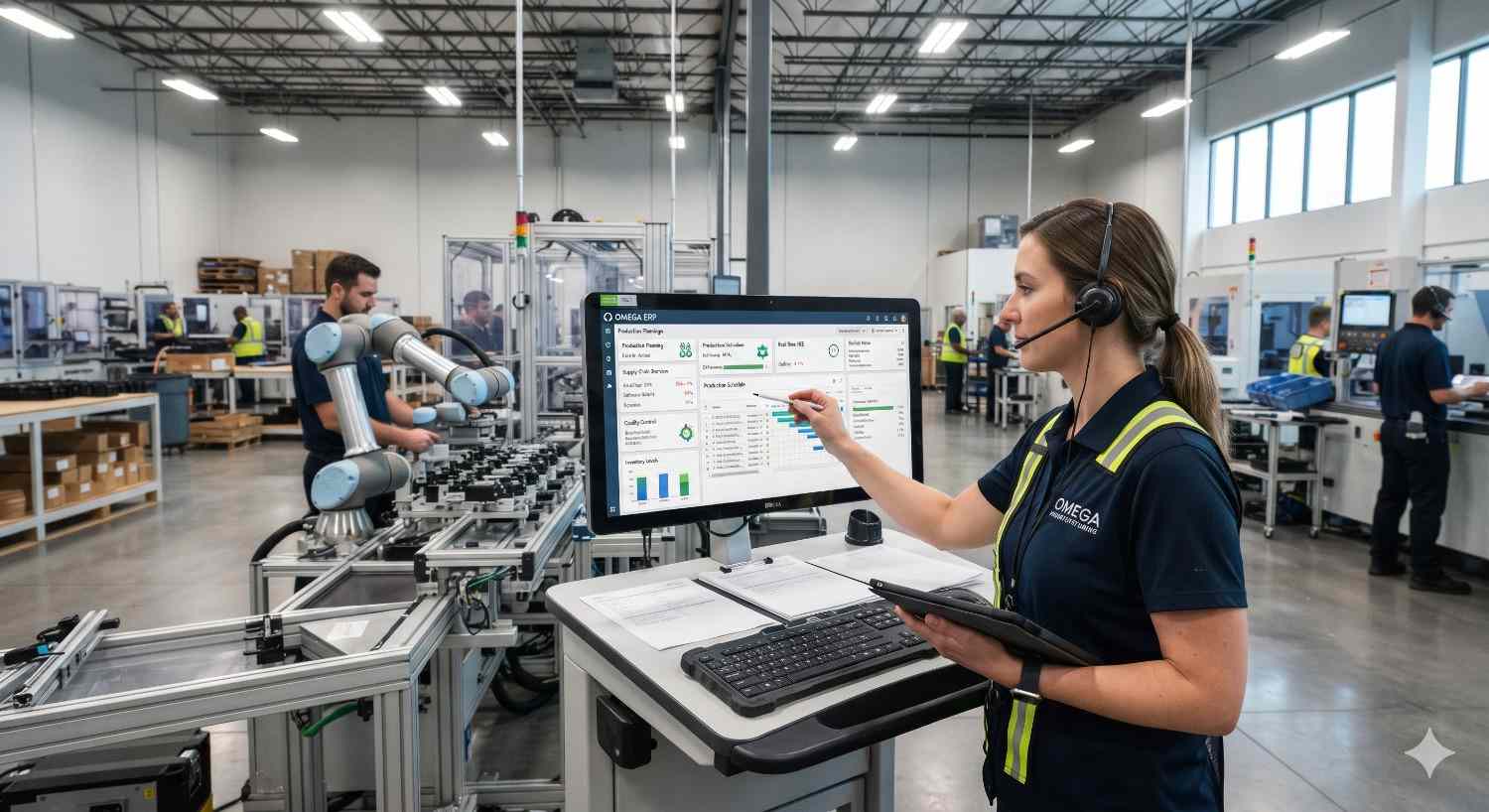
ERP for Manufacturing is a unified software system that connects production, inventory, procurement, sales, finance, quality, and maintenance in one database. Instead of each department working in its own spreadsheet or standalone tool, everyone works from the same real-time data.
What Is ERP for Manufacturing?
In practice, a good manufacturing ERP lets you plan production based on real demand and real stock, track materials from purchase to finished goods, and calculate true product costs instead of estimates. It also helps you spot delays and bottlenecks before they reach customers, and stay compliant with quality and traceability requirements.
Generic ERP tools can handle accounting and basic inventory. But manufacturing adds layers like bills of materials, routings, work orders, shop-floor tracking, and batch traceability. This is why industry-specific manufacturing ERP software matters.
Why Manufacturers Need a Dedicated ERP System
Many growing manufacturers start with accounting software plus spreadsheets. It works until it doesn’t. Here are the warning signs that you’ve outgrown that setup.
Stock numbers never match reality
Your system says you have 500 units, but the warehouse finds 380.
Costing is guesswork
You can’t say with confidence which products actually make money.
Planning lives in someone’s head
Production planning sits with one person or in a shared Excel file that everyone edits.
Delivery dates are unreliable
Purchasing, production, and sales don’t talk to each other, so promises slip.
Audits take days
Compliance and quality audits need days of manual document collection.
If two or three of these sound familiar, it’s time to evaluate ERP for Manufacturing seriously.
Core Features to Look for in Manufacturing ERP Software
Before any ERP software comparison, define what “good” looks like. These are the capabilities that separate true manufacturing ERP from generic business software.
1. BOM and Routing Management
Multi-level BOMs, alternate materials, versioning, and engineering changes. Routings define operations, machines, and labour time for each product.
2. Planning and Scheduling
MRP, Master Production Scheduling, and finite capacity scheduling. The system should tell you what to make, when, and what to buy.
3. Inventory and Warehouse
Real-time stock across warehouses, barcode or RFID support, batch and serial tracking, and reorder rules.
4. Shop Floor Control
Work orders, job tracking, machine and operator data, and actual versus planned production.
5. Quality Management
Inspection plans, non-conformance tracking, corrective actions, and traceability from raw material lot to finished product.
6. Costing and Finance
Job, batch, and standard costing with seamless posting to the general ledger. This is where true product margins appear.
7. Procurement and Suppliers
Purchase orders, vendor ratings, lead-time tracking, and landed cost calculation.
8. Maintenance Management
Preventive schedules, breakdown logs, and spare parts tracking to cut unplanned downtime.
9. Reporting and Analytics
Dashboards for OEE, scrap rates, on-time delivery, inventory turns, and cost variance.
Comparing ERP options for your plant?
Get an honest review of your processes and a demo built on your own BOMs and routings.
How to Compare ERP Solutions for Manufacturing: A Seven-Step Framework
A smart ERP software comparison isn’t about collecting the longest feature list. It’s about fit. Use this framework.
- 1Define your manufacturing type. Discrete (machinery, electronics) is BOM-heavy and work-order driven. Process (chemicals, food, pharma) depends on formulas, batches, yields, and shelf life. Make-to-order needs project costing. Mixed-mode needs the most flexible system.
- 2Map must-haves versus nice-to-haves. Involve production, stores, purchase, quality, and finance. Write down the 15 to 20 workflows that cannot fail. Anything outside that list is a bonus.
- 3Evaluate scalability. Will the system handle double your transaction volume, a second plant, or export operations in three years? Check multi-site, multi-currency, and multi-language support.
- 4Compare deployment options. Cloud brings lower upfront cost and automatic updates. On-premise brings more control. Hybrid runs some modules in the cloud and others locally.
- 5Check integration and customisation. Your ERP must connect with CAD/PLM tools, MES, IoT sensors, CRM, e-commerce, GST or tax systems, and banks. Ask whether customisations survive upgrades.
- 6Look at total cost of ownership (TCO). Licence fees are only part of the picture. Include implementation, data migration, training, customisation, support, hardware, and upgrades over five years.
- 7Test with your own scenarios. Never rely on a standard demo. Give vendors one of your real products with a multi-level BOM and ask them to run it live.
ERP Software Comparison: Popular Options for Manufacturers
Here is a high-level look at widely used options. The right choice depends on your size, complexity, and budget.
| Solution | Best for | Strengths | Consider |
|---|---|---|---|
| SAP Business One | Small to mid-size manufacturers | Strong MRP, production, finance, and reporting; scalable | Needs a skilled implementation partner |
| SAP S/4HANA | Large and complex manufacturers | Deep manufacturing, real-time analytics, global operations | Higher cost and longer implementation |
| Odoo (Manufacturing) | Small and growing manufacturers | Modular, flexible, cost-effective, quick to deploy | Complex needs require careful configuration |
| Microsoft Dynamics 365 | Mid-size to large firms in the Microsoft ecosystem | Strong integration with Office and Power BI | Licensing can get complicated |
| Oracle NetSuite | Growing multi-entity companies | Cloud-native, strong financials | Manufacturing depth varies by use case |
| Infor, Epicor, Plex | Industry-specific manufacturing | Deep shop-floor and process functionality | Often needs specialised expertise |
No table can replace a proper evaluation. Two companies in the same industry can need completely different systems.
Which Is the Best ERP for Manufacturing Companies?
The honest answer: the best ERP for manufacturing companies is the one that matches your production model, budget, team capability, and growth plan.
50-person fabrication unit
With tight budgets, this unit may thrive on Odoo or SAP Business One.
Odoo or SAP Business OneMulti-plant manufacturer
Several plants and complex supply chains may need deeper planning and analytics.
SAP S/4HANAProcess manufacturer
Strong batch, formula, and compliance features matter above everything else.
Process-ready ERPBe wary of anyone who names a single “best” system without asking about your operations first.
Questions to Ask Every ERP Vendor
These questions reveal a lot quickly.
- 1Experience: How many manufacturers in my industry have you implemented for? Can I speak to two?
- 2Fit: How does your system handle my specific BOM, batch, or routing complexity?
- 3Timeline: What does implementation really involve, and what is the realistic timeline?
- 4Support: Who owns support after go-live, and what are the response times?
- 5Upgrades: How are customisations preserved during upgrades?
- 6Cost: What are all the costs beyond licensing?
- 7Data: How do you handle data migration from our current systems?
The quality of a vendor’s answers (specific, honest, experienced) tells you more than any brochure.
ERP Implementation for Manufacturers: Avoiding the Common Pitfalls
Even the best software fails when the rollout goes wrong. A successful ERP implementation for manufacturers depends on people and process as much as technology.
Common mistakes
Skipping process clean-up
Automating a broken process just gives you a faster broken process.
Poor data quality
Wrong BOMs, duplicate items, and inaccurate stock counts will wreck any new system.
Weak internal ownership
Someone senior in your company must own the project, not just the vendor.
Underestimating training
Shop-floor staff need hands-on, role-specific training in their own language.
Doing everything at once
A big-bang rollout across all modules is risky.
A smarter approach
- 1Phase it. Start with core modules (inventory, purchase, sales, finance), then add production and quality.
- 2Clean your data first. Validate item masters, BOMs, and opening stock before migration.
- 3Run a pilot. Test with one product line or plant before full rollout.
- 4Plan parallel running. Run old and new systems side by side for a short period to build confidence.
- 5Measure results. Track inventory accuracy, on-time delivery, and production cost before and after.
Realistic timelines vary widely. Smaller implementations can take a few months, while complex multi-plant projects can run a year or longer.
Cloud vs. On-Premise ERP for Manufacturing
This is one of the most common debates in ERP selection. Decide based on operations, not trends.
Choose cloud if
You want faster deployment, lower upfront investment, easy remote access, and automatic updates, and your plant has reliable internet.
Choose on-premise if
You need tight control over data or deep customisation, or you operate in areas with unstable connectivity.
Consider hybrid if
You want shop-floor continuity locally while running finance and reporting in the cloud.
How Modern Manufacturing ERP Uses AI and Automation
Today’s manufacturing ERP software increasingly includes smart capabilities.
Demand forecasting
Learns from sales history and seasonality to improve planning.
Predictive maintenance
Flags machine issues before breakdowns happen.
Automated procurement
Suggests purchases based on lead times and consumption.
Anomaly detection
Spots quality issues and cost variances early.
Natural-language reporting
Lets you ask questions in plain words and get answers from live data.
When comparing vendors, ask which AI features are live and proven today and which are only on the roadmap.
ERP for Manufacturing: Quick Selection Checklist
Use this before you shortlist any vendor.
- Supports my production type (discrete, process, or mixed)
- Handles multi-level BOMs, routings, and work orders
- Offers MRP and production scheduling
- Provides batch and serial traceability and quality control
- Delivers accurate costing and financial integration
- Integrates with my existing tools
- Scales for future growth
- Has a transparent five-year TCO
- Comes with a proven local implementation and support partner
- Offers references from similar manufacturers
Frequently Asked Questions
Final Thoughts
Choosing the right ERP for Manufacturing is not about finding the most famous brand or the longest feature list. It’s about matching a system to how your plant actually runs and where you want it to go. Define your requirements first, run a structured ERP software comparison, test vendors with your real data, and treat ERP implementation for manufacturers as a business transformation project, not just a software install.
Get those pieces right, and your ERP becomes more than a system of record. It becomes the engine that helps you produce faster, cost less, and deliver on time, every time.
Ready to find the best ERP for manufacturing companies like yours? Talk to the 2iSolutions team, an SAP Gold Partner and Odoo Partner in India, share your process, and get a tailored recommendation instead of a generic demo.
Ready to Find the Right ERP for Your Plant?
Talk to the experts at 2iSolutions, an SAP Gold Partner, for a tailored recommendation and a demo built on your own products.