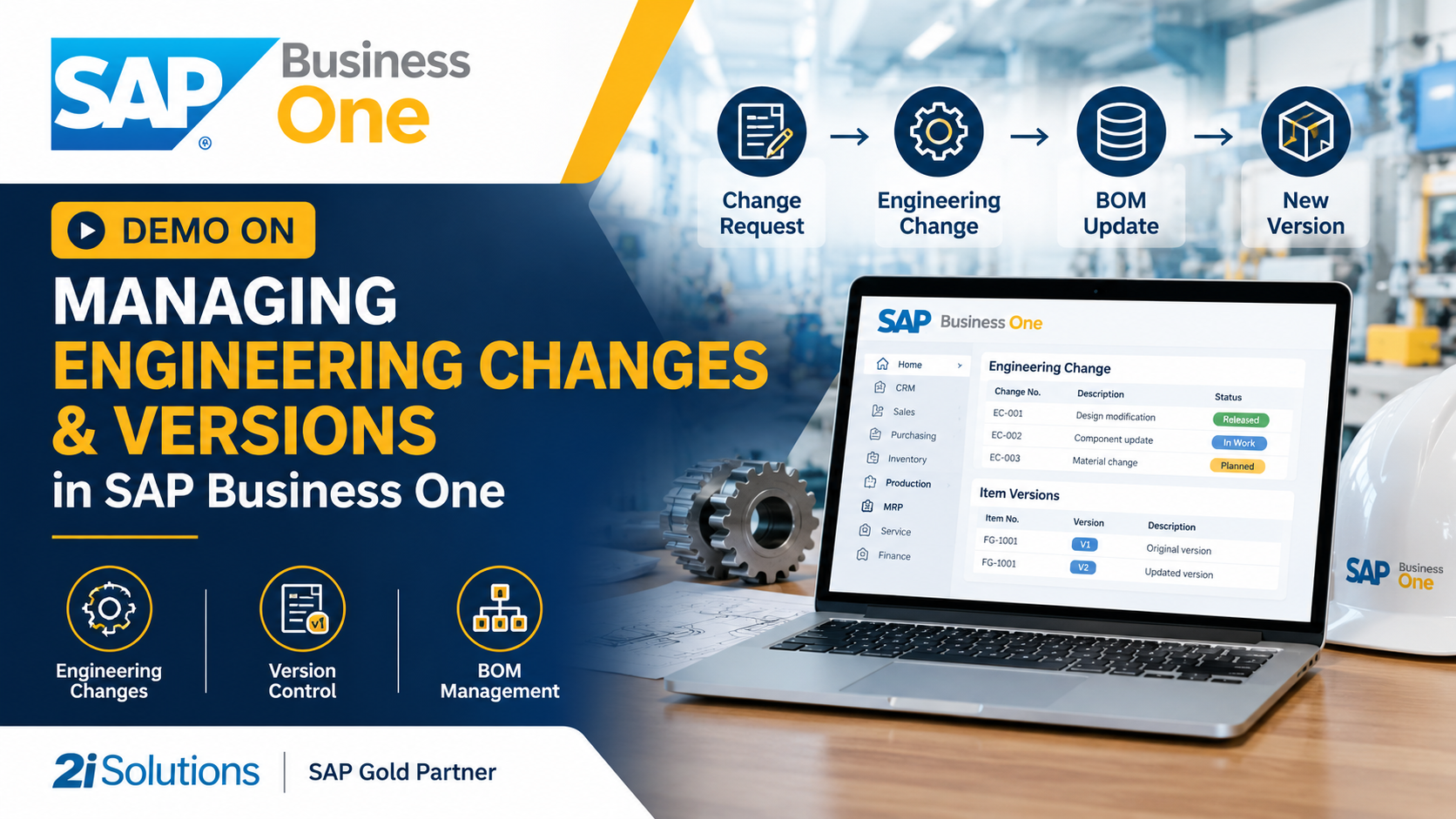
Demo on Managing Engineering Changes and Versions in SAP Business One
Demo on Managing Engineering Changes and Versions in SAP Business One
See how SAP Business One supports engineering change management and BOM version control, from the first change request to a traceable production order.
Quick answer: SAP Business One supports engineering change management through bills of materials, item master data, approval procedures, change logs and user-defined fields. Manufacturers use these to raise a change, get it approved, create a new BOM version with an effective date, and trace every production order back to the version it used. Standard SAP Business One has no dedicated engineering change order module, so most companies add a light configuration on top. This is where a good SAP Business One Implementation pays off.
It's 4:45 on a Friday. Your design engineer has just changed a bracket from 3 mm to 4 mm steel. The production supervisor is still cutting the old size. The purchase team has already ordered 2,000 sheets of the old material. By Monday, you have scrap, rework and a customer asking why the part doesn't fit.
Engineering changes are normal in manufacturing. Chaos around them is not. This guide walks through a practical demo of engineering change management in SAP Business One, covering what the system does well, where you need to configure it, and how to keep versions clean as your products evolve.
Watch the Demo Video
Prefer to watch on YouTube? Open the demo video. The sections below walk through the same process step by step.
Why Engineering Changes Cause So Much Trouble
A design change looks small on a drawing. On the shop floor, it touches everything. One revised component can affect:
Bills of materials
Quantities, items or sub-assemblies change.
Purchasing
Old items are on open orders and new ones need sourcing.
Inventory
Stock of the old version is either used up or becomes obsolete.
Production
Routings, work instructions and tooling may change.
Quality
Inspection criteria shift.
Costing
The product cost changes from a specific date.
When these teams work from different spreadsheets, the change spreads unevenly. That is how the wrong version ends up in production.
Small and mid-size manufacturers feel this more than large ones. They change designs often, respond to customer requests quickly and rarely have a dedicated PLM system. They need something simpler that still gives control. That is why many choose SAP Business One.
What Counts as an Engineering Change?
Let's get the vocabulary clear, because teams often use these terms loosely.
- Engineering Change Request (ECR): a proposal. Someone asks for a design change, with a reason attached. It hasn't been approved yet.
- Engineering Change Order (ECO): the approved, formal instruction to make the change, with details on what changes and when.
- BOM revision or version: the actual updated structure of the product after the change.
- Effectivity: the date, serial number or batch from which the change applies.
- Obsolescence handling: the decision on what to do with stock and open orders tied to the old version.
A clean process moves through these in order:
How SAP Business One Supports Engineering Changes and Versions
Here is an honest picture. SAP Business One supports the building blocks of change control well. It does not ship with a full engineering change order workflow like a dedicated PLM tool. Most companies close that gap with configuration, not heavy customization. Always check your exact version and release, because features evolve.
Bill of Materials (BOM)
The Production BOM defines components, quantities and sub-assemblies for each finished item. Multi-level BOMs handle assemblies within assemblies. This is the core object that changes when a design changes.
Item Master Data
Every part has one record. A clear item numbering and revision convention here is the foundation of BOM version control in SAP Business One.
Production Orders
A production order picks up the BOM at the time it is created. The order carries the structure that was current on that day, which makes later tracing possible.
Approval Procedures
Approval templates route documents or changes to the right people based on conditions, so no revised BOM or related document goes live without sign-off.
Change Log and Audit Trail
Records what was altered, by whom and when for key objects. During a customer audit or root-cause investigation, this saves hours of guessing.
User-Defined Fields, Tables and Objects
Add Revision Number, ECO Reference, Effective Date, Reason for Change and Status to item master data or BOM headers. You can even create a small user-defined object to hold ECO records.
Attachments and alerts complete the picture. Attach drawings, PDFs and approval notes to records, and set alerts so planners and buyers are notified when a change is released.
The Demo: A Change From Request to Production
Let's walk through a realistic scenario. This is an illustrative example of how a manufacturer could set it up, not a copy of a specific customer's system.
The company: a mid-size maker of fabricated enclosures for industrial control panels.
The change: the mounting plate in their best-selling enclosure moves from 3 mm to 4 mm steel after customer feedback on rigidity.
- 1Raise the change request. The design engineer logs an ECR as a simple user-defined record with the part number, the reason, the proposed new specification and attached drawings. Nothing in production is affected yet. The purpose is a formal, traceable start.
- 2Review the impact. Before approval, check which finished products use this plate (a "where-used" check on the BOM), how much old stock is on hand, which open purchase orders and production orders contain it, and what the cost difference will be. A single part may sit in five different assemblies, and you need to know that before approving.
- 3Approve the change. The ECR goes to the engineering head, production manager and, where relevant, quality. Approval procedures route it automatically, and once approved it becomes an ECO. Don't make approval too heavy: two or three decision-makers are usually enough.
- 4Create the new item and BOM version. For our plate, thickness changes form and material, so the team creates a new item (MP-1001-B), builds the revised BOM and fills in the user-defined fields: revision B, ECO number, effective date and reason.
- 5Control the transition. Decide what happens to the old version and record it in the ECO. Then adjust purchase orders for the old plate, create new ones for the new plate, and update open production orders if the change is immediate.
- 6Release to production. Planners run normal planning and new production orders pick up the revised BOM. Buyers see requirements for the new item, and the shop floor receives the updated drawing.
- 7Trace and close. If a customer reports a fitting issue weeks later, open the production order and see which BOM version, item revision and ECO applied. Close the ECO once old stock is cleared and open orders are settled.
Two patterns for the new version (Step 4)
New item per revision
MP-1001-A becomes MP-1001-B. Cleaner when form, fit or function changes, because stock and purchasing stay clearly separated.
Same item, revised BOM
For minor changes, the part number stays and the BOM is updated, with the revision field and effective date recorded.
Three ways to handle the old version (Step 5)
- Use up old stock first, then switch.
- Switch immediately and scrap or rework the old stock.
- Switch from a specific batch or date.
This is where most companies slip. Whatever you choose, write it into the ECO.
Want to See This Run on Your Own Products?
Our team can demo engineering change management in SAP Business One using your BOMs, parts and approval flow.
Version Control Best Practices That Actually Work
A system is only as good as the habits around it. These are the ones we see making the biggest difference.
1. Agree a revision convention
Pick letters or numbers, decide when a change counts as a new revision, and write it down. Inconsistent naming is the most common cause of version confusion.
2. Separate form-fit-function from minor edits
If a change affects how a part fits or works, treat it as a new revision with its own item. Cosmetic edits can stay under the same item.
3. Always record an effective date
"Soon" is not a date. Effectivity drives purchasing, planning and production.
4. Freeze the BOM during active production
Changing a BOM underneath a running order creates mismatches. Decide how and when mid-order changes are allowed.
5. Keep drawings and BOMs linked
Attach the current approved drawing to the item or ECO so nobody works from an old PDF in someone's inbox.
6. Review obsolete stock monthly
Old-version stock hides in the warehouse. A regular review prevents write-offs from surprising finance.
Change Type vs. Recommended Action
| Type of change | Example | Recommended handling in SAP Business One |
|---|---|---|
| Form, fit or function | Plate thickness 3 mm to 4 mm | New item revision, new BOM, formal ECO approval |
| Component substitution | Alternate fastener supplier | Update BOM line, record ECO, adjust purchasing |
| Quantity or process tweak | 6 screws instead of 8 | BOM revision with effective date, notify production |
| Documentation only | Drawing note corrected | Update attachment, log the change, no BOM impact |
| Customer-specific variant | Custom colour on one order | Separate variant item or order-level BOM |
Costing and Compliance Benefits
Engineering changes affect cost, and finance should know when. When a BOM changes, the standard or expected cost of the finished item changes too. Tying cost updates to the ECO effective date keeps margins honest.
Traceability helps with audits. Industries such as automotive, medical devices, electronics and food equipment often have customers who ask for proof of which version was built and why it changed. With change logs, ECO records and production orders linked, you answer from the system rather than from memory.
What a Good SAP Business One Implementation Should Include
If you want change control that people actually use, plan for it from the start of your SAP Business One Implementation. Retrofitting is possible, but it is harder once habits have formed. A strong implementation for a manufacturer should cover:
- 1Process mapping of how designs are requested, approved and released today.
- 2Item and BOM structure design, including revision and naming rules.
- 3User-defined fields and objects for ECO data, built to be simple.
- 4Approval procedures matched to your real decision-making.
- 5Data migration of BOMs, routings and open orders, cleaned before loading.
- 6Role-based training so engineers, planners, buyers and operators each learn their part.
- 7Post go-live support to refine the process once real changes flow through.
An experienced partner will tell you what to keep standard and what to extend. Over-customizing is as risky as under-configuring, because every custom piece becomes something to maintain and test during upgrades. At 2iSolutions, an SAP Gold Partner in India, implementation is planned around your products and shop floor rather than a generic template.
Common Mistakes to Avoid
- Treating ECOs as paperwork. If the process doesn't change how the shop works, people skip it.
- No owner for change control. Someone must be accountable for each ECO.
- Changing BOMs without notifying purchasing. This creates stock mismatches.
- Skipping impact analysis. A quick where-used check prevents surprises.
- Overloading the approval chain. Speed matters in engineering.
- Ignoring old stock. Decide its fate when you approve the change.
When You Might Need More Than Standard Functions
Some manufacturers outgrow a lightweight setup. If you manage complex product structures, heavy CAD integration, multiple concurrent revisions or strict regulatory documentation, you may want to integrate SAP Business One with a PLM or PDM system, or add a specialized add-on.
Tip: The aim isn't to make the system complicated. It is to match the tool to the real complexity of your products. A short discovery workshop usually shows whether standard configuration is enough.
Frequently Asked Questions
Final Thoughts
Engineering changes are a sign of a healthy manufacturing business. You're listening to customers and improving products. The trouble starts only when changes spread through email, memory and hallway conversations.
SAP Business One supports a disciplined approach with the tools most manufacturers already have: BOMs, item master data, approvals, logs and flexible fields. Add a clear revision convention, effective dates and a simple ECO process, and you get BOM version control in SAP Business One that people trust.
If you're planning a SAP Business One Implementation, or want to improve change control in your existing system, talk to the team at 2iSolutions, an SAP Gold Partner in India. We can run a live demo of engineering change management built around your own products and processes.
Ready to Bring Order to Engineering Changes?
Talk to the 2iSolutions team, an SAP Gold Partner in India, for a live demo and a clear SAP Business One implementation roadmap.